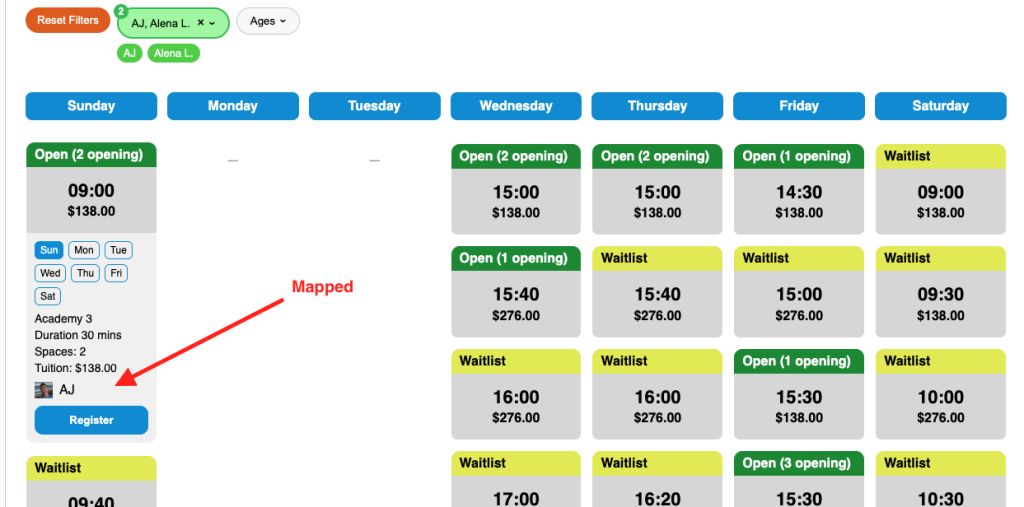
Mapping Instructors
Why would you want to map an Instructor?
The truth is some people rather go by their nick name or abbreviated name then there brith given full name. However, in Jackrabbit you have their full name. So instead of listing them as “Benjamin Johnston” you can simply add them as BJ or Ben, or Benny. Then if your instructors prefer you can add their photos as well.
Where do you map an Instructor?
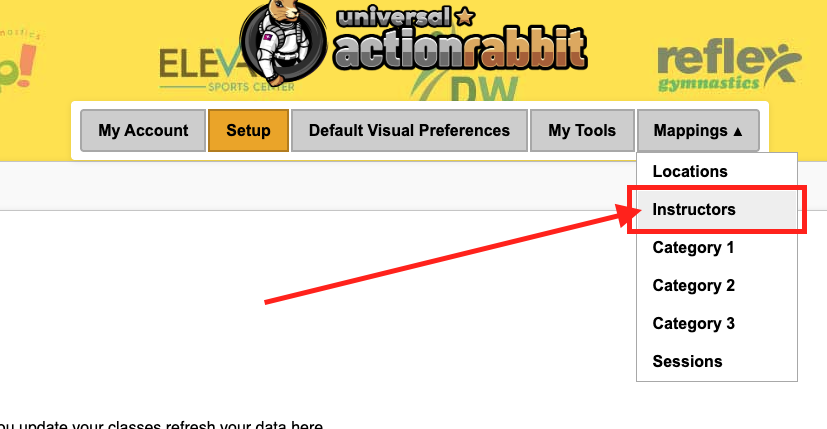
To Map your Instructors select “instructors” from the Mappings drop down.
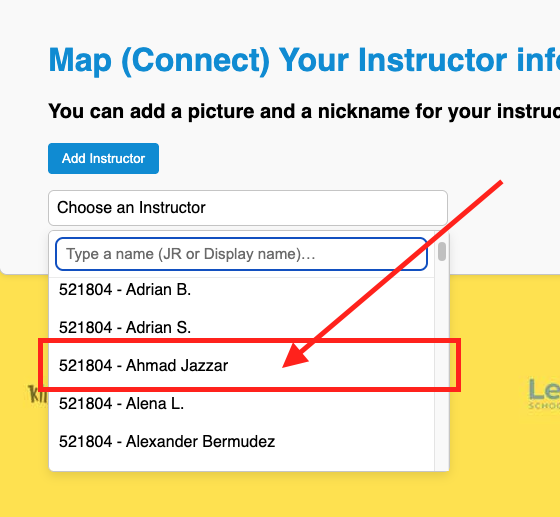
Then you select an instructors name from the instructor list. If you have a lot of instructors you can search for their name in the search box.
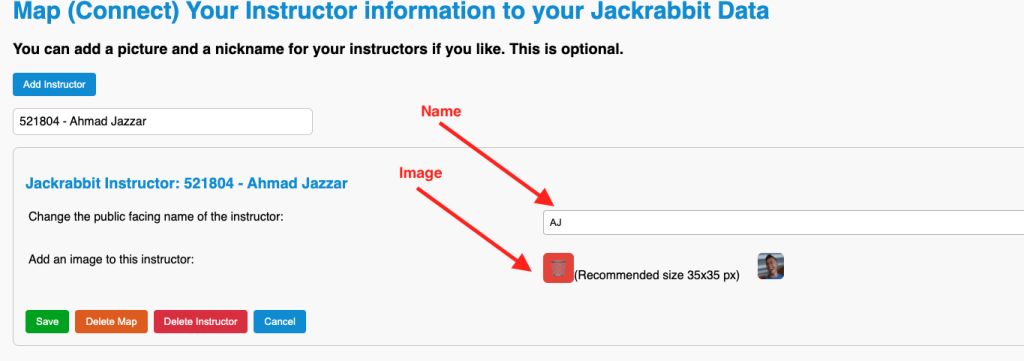
In this example we will map “Ahmad Jazzar” will have his public facing (what your users will see) name be “AJ” and we will add a photo to this instructor. The photo will be a small thumbnail.
What does it look like when an Instructor is mapped?
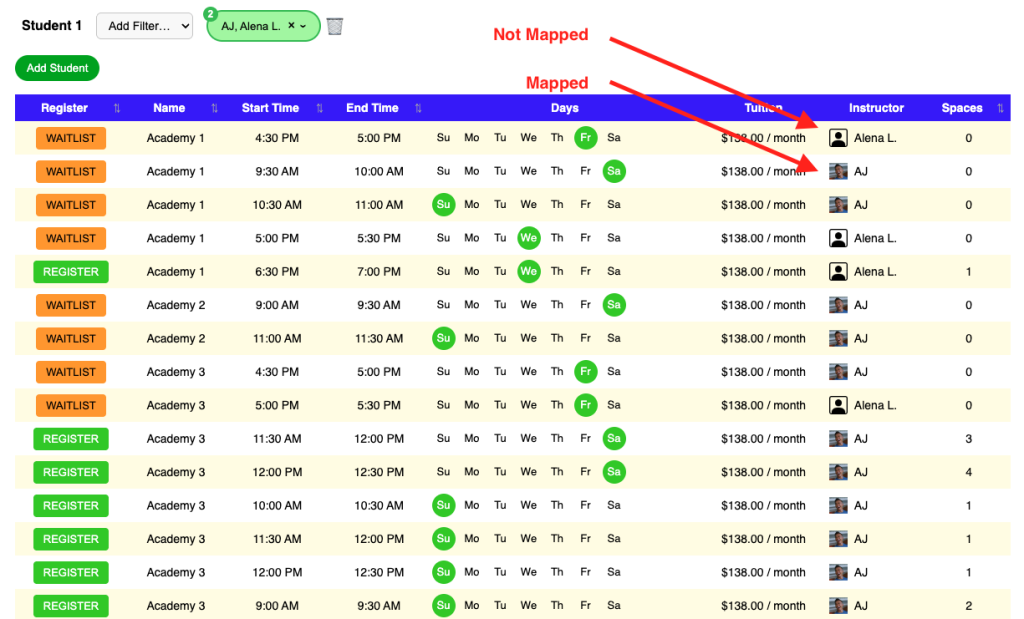
When your instructors are mapped they will appear in your filters as such. Here is an example of a mapped instructor in the class table.
Here is an example of the mapped instructor in the class calendar