Creating & Accessing Your Tools
How to create a new tool
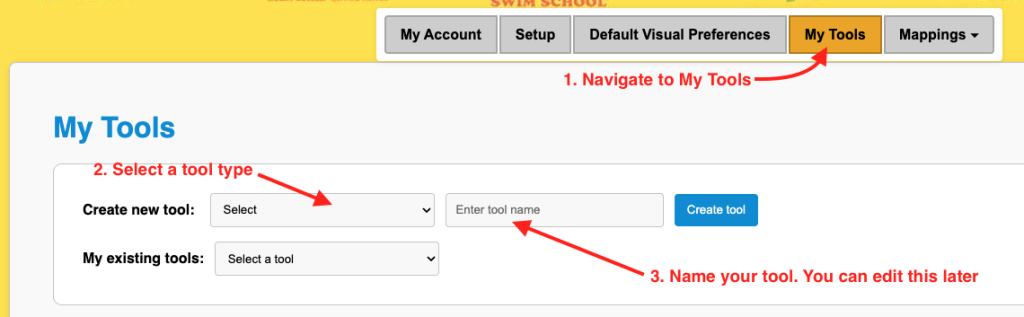
- Navigate to “my tools”
- Select the type of tool you want to create
- Enter the name of the tool
- Click Create
Why might a school create many variations of tools.
You can create as many tools as you like. The next logical question is why would a school want to create many tools?. Well perhaps you have a page structure like
- Home Page
- Program Type
- Program Levels
- Program Type
That structure seems logical and conducive to reasonable SEO practices. So if you wanted to include tools on each page you might.
- Home Page
- Program Type – Create an enrollment experience for this type of program only.
- Program Level – Create an enrollment experience for this program level only.
- Program Type – Create an enrollment experience for this type of program only.
Further more we have see many schools list enrollment tools along with each program level. Such as listing the Weekly Class Calendar with each program.
Modifying a tool you have already created.
To Update a tool you have already created you
- Navigate back to “my tools”
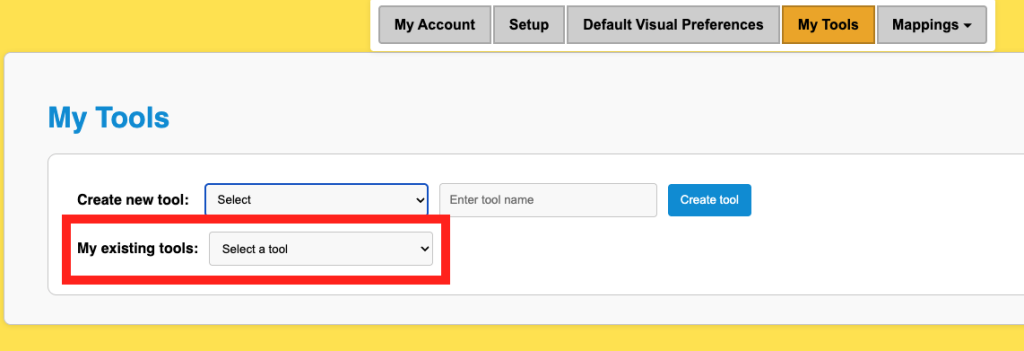
- Select the tool you want to update in the drop down labeled “my existing tools”