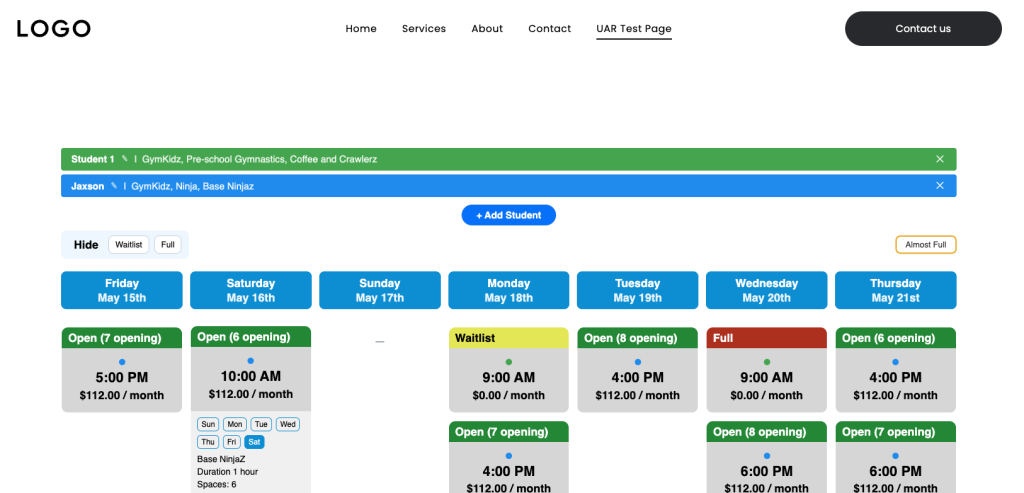
Duda
Login to Duda
First, Log into your Duda Site and then navigate to the page you want to add your tool to. 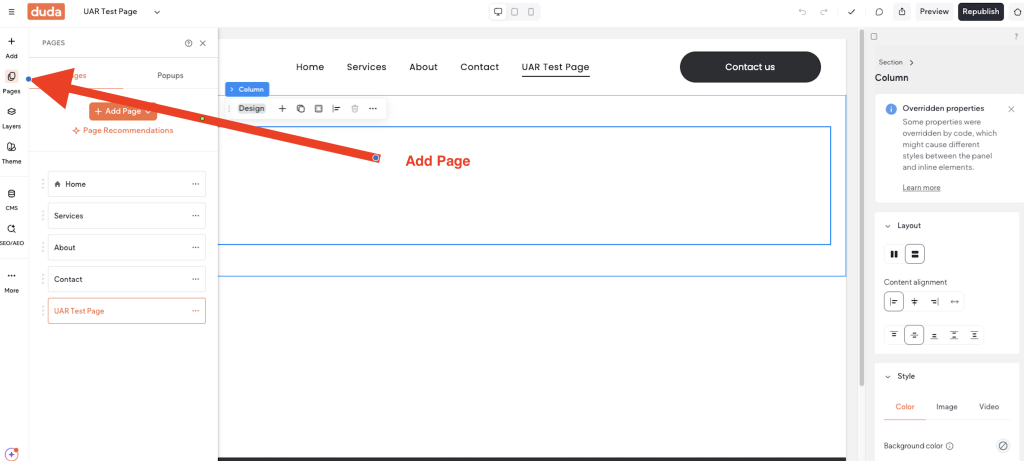
Select an Existing Page or Add a Page
Depending on what you have in mind, you might either choose to add a new page or select an existing page.
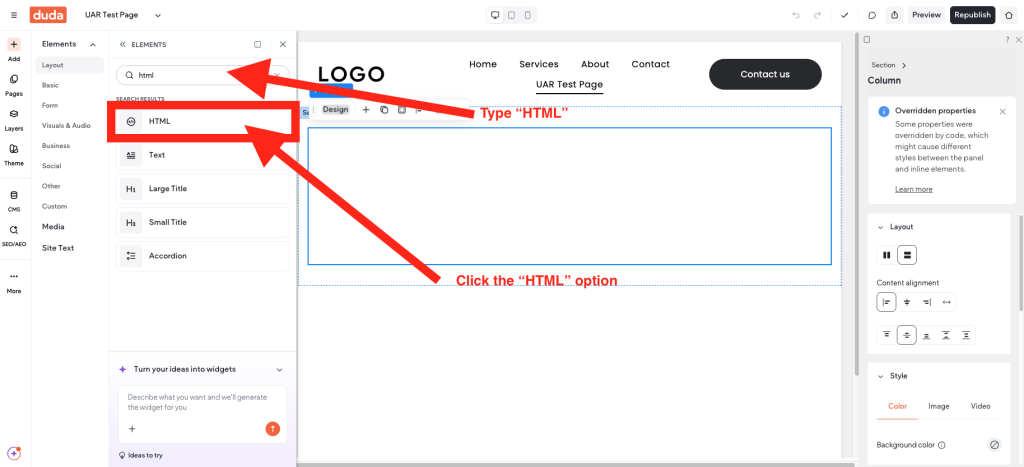
Add an HTML element to the page
Once you know where you will be adding Action Rabbit you will navigate to the “Add” element and click it. In the resulting drawer there will be a search box. Type “HTML” in the search box and in the results click the “HTML” option.
Copy your snippet
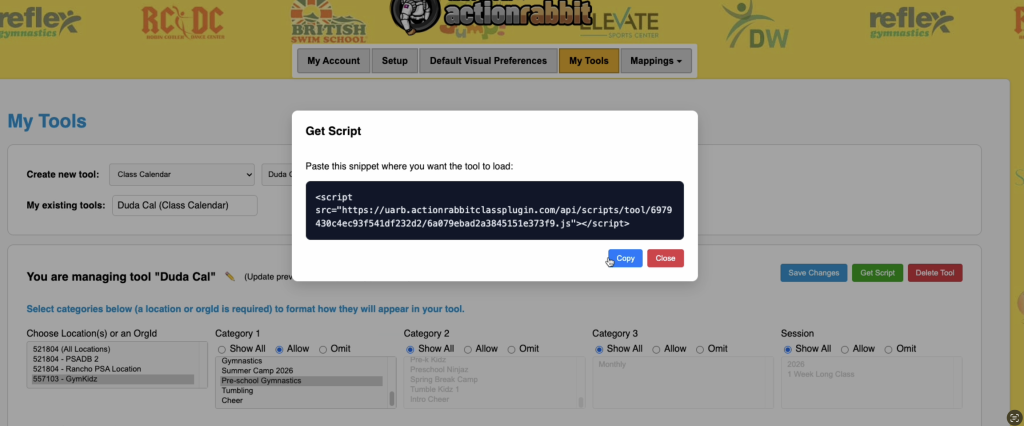
Copy your snippet out of your Action Rabbit tool by selecting the green “Get Script” option. Then click the blue “Copy” button to copy your snippet automatically.
Navigate back to the DUDA Editor
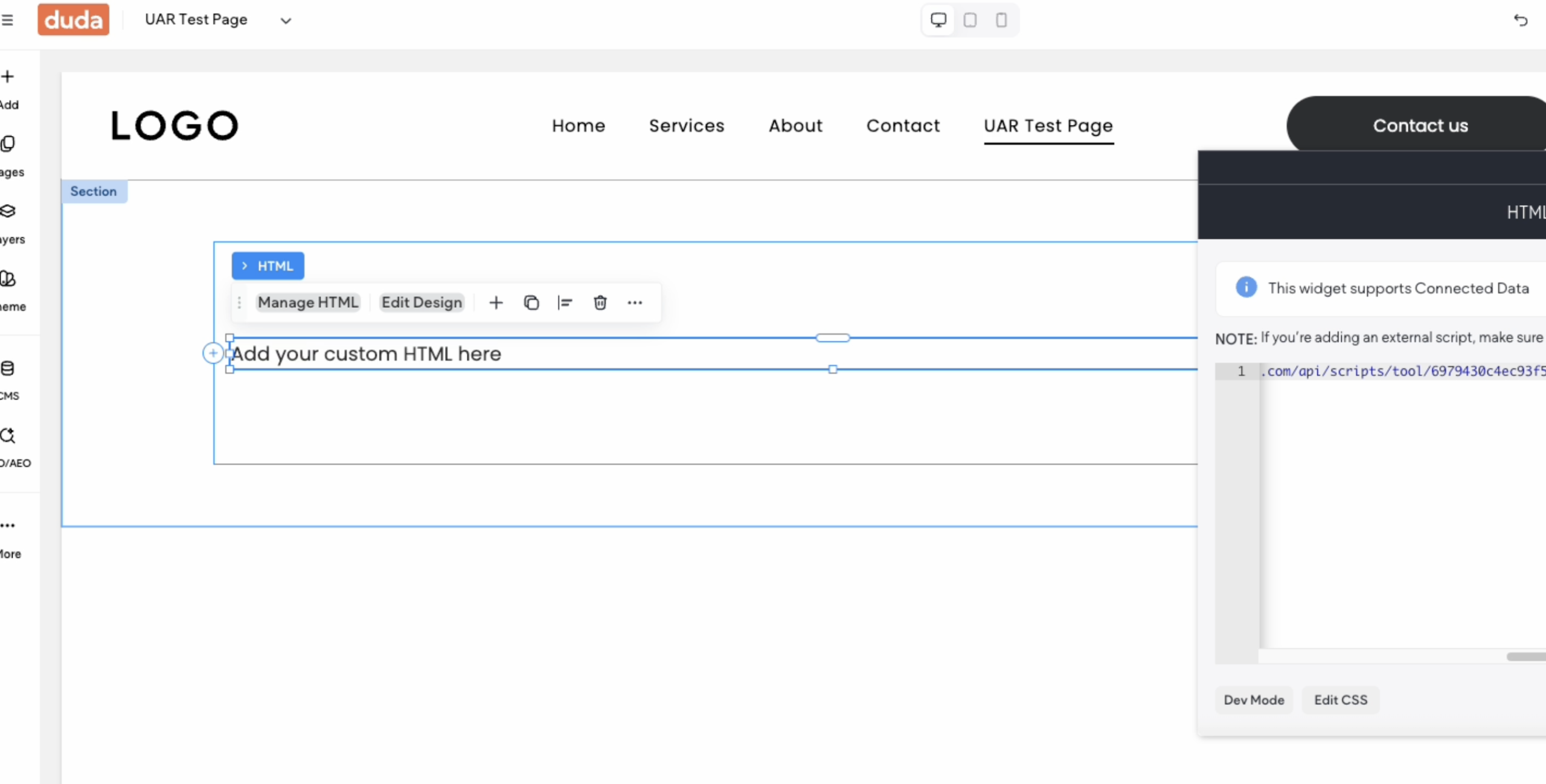
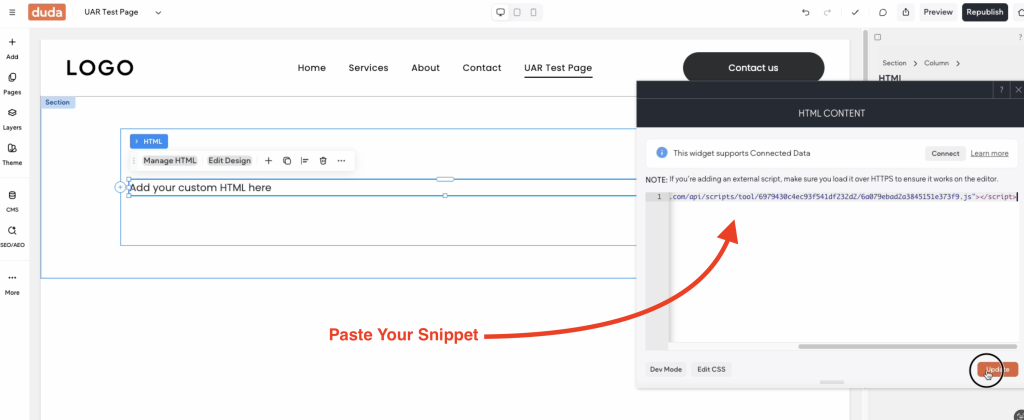
Back in the Duda Editor click into your HTML element until you see the html editor appear. Then paste the snippet into the editor.
Publish the change
In the top right corner of the editor you will see either a “publish” or “republish” option. Click that option. Then navigate to the public facing side of you Duda website and view your changes.