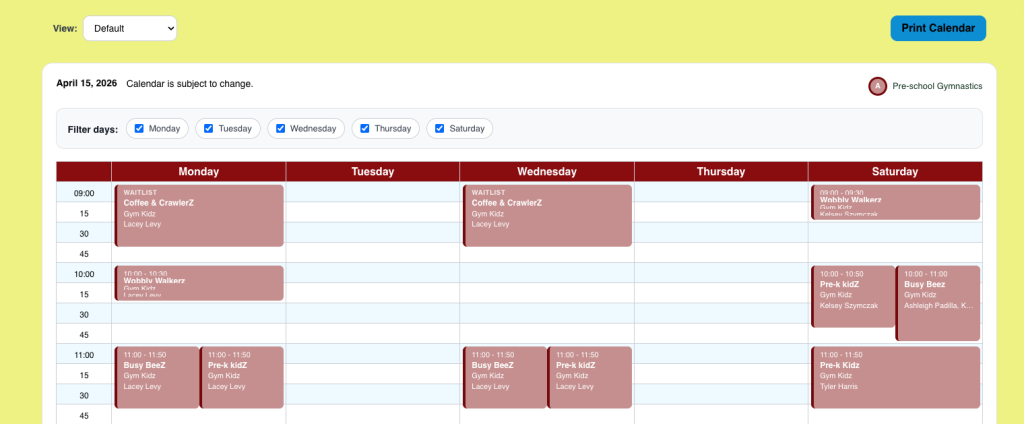
Square Space
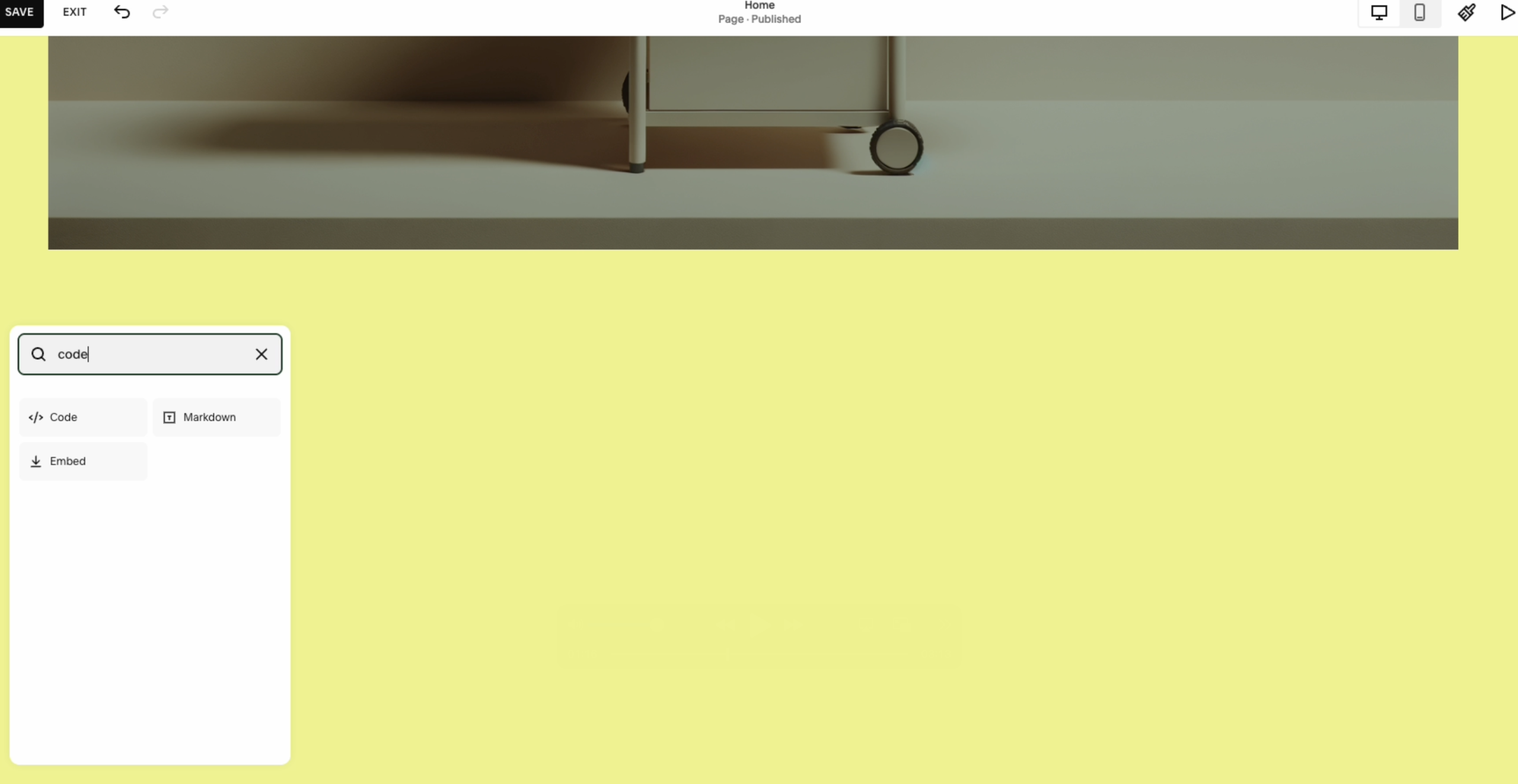
Adding a Section
In your Square Space editor click Add Section
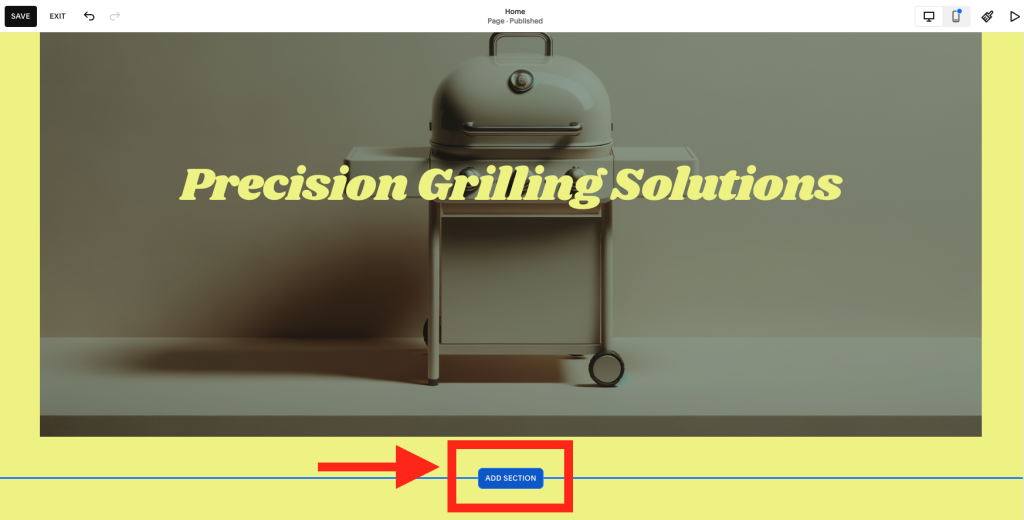
Then your page will have a new section appear
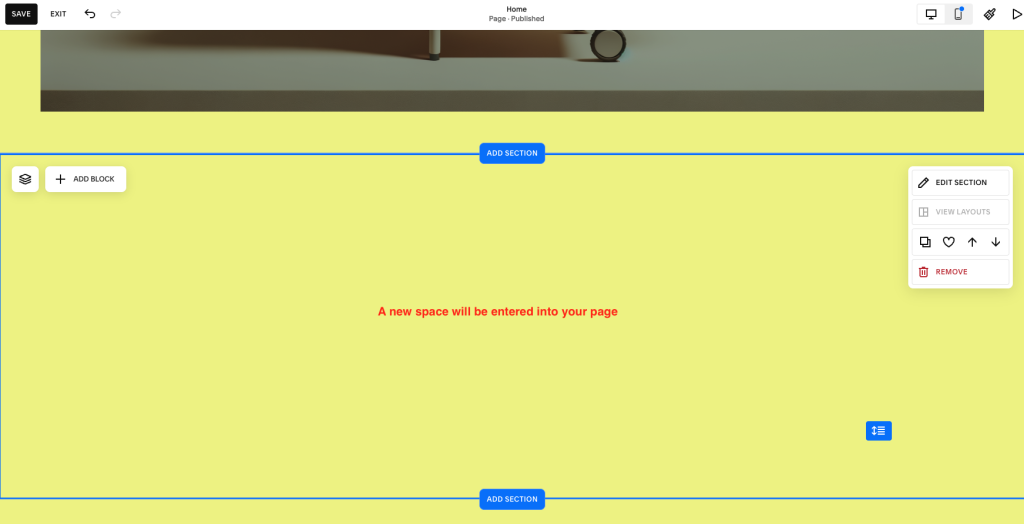
Adding a Code Block
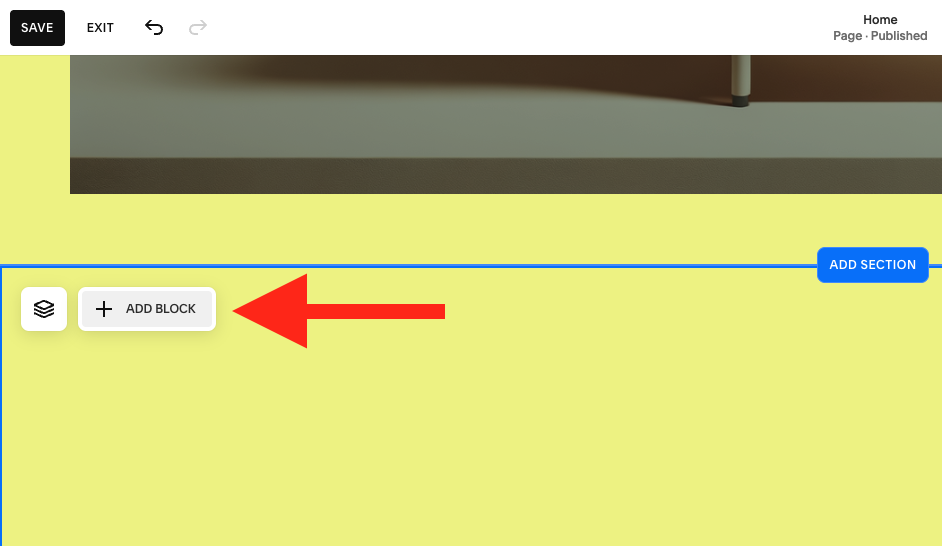
When you hover over the new section that was just added you will see an option to “Add Block”. Click “Add Block”.
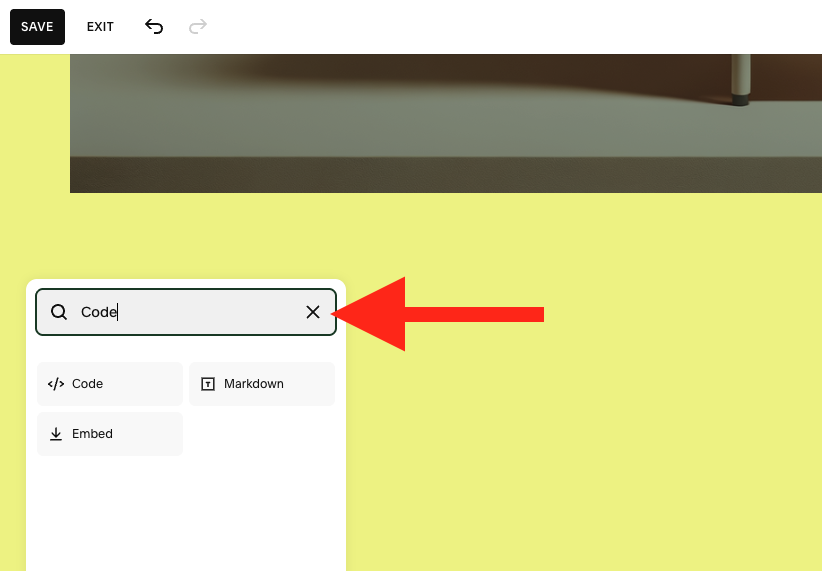
Then search for the block called “Code” and Click it to add it to the page block.
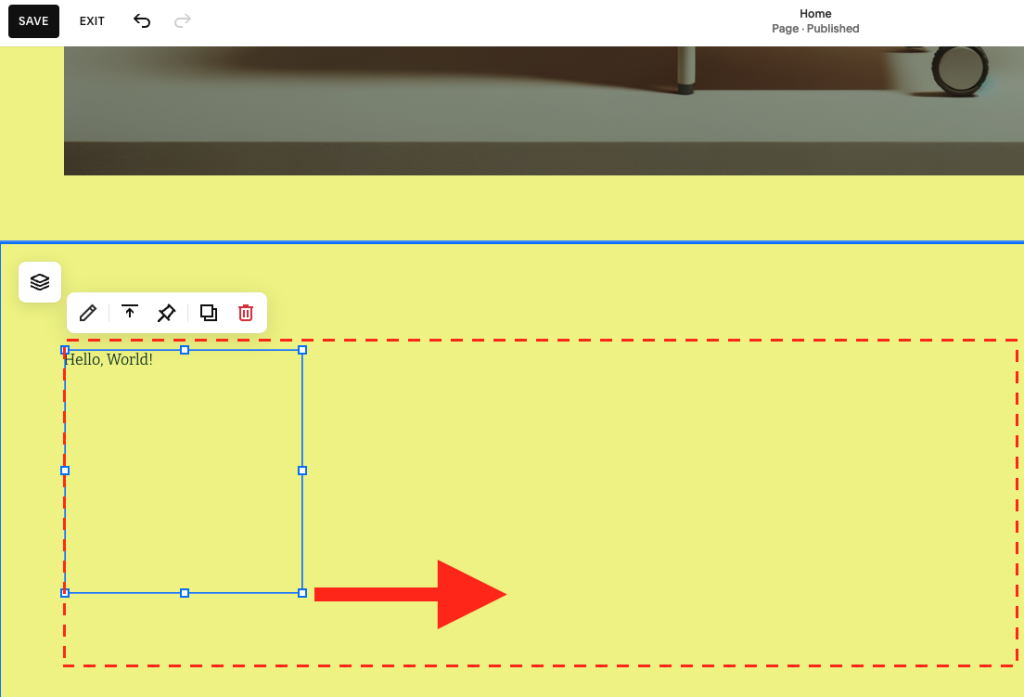
Drag out the resulting box to fill the space
After clicking the “Code” block you will get a Blue Box. Drag it out to adequately fill the space on the page.
Once the box is sized appropriately double click on it.
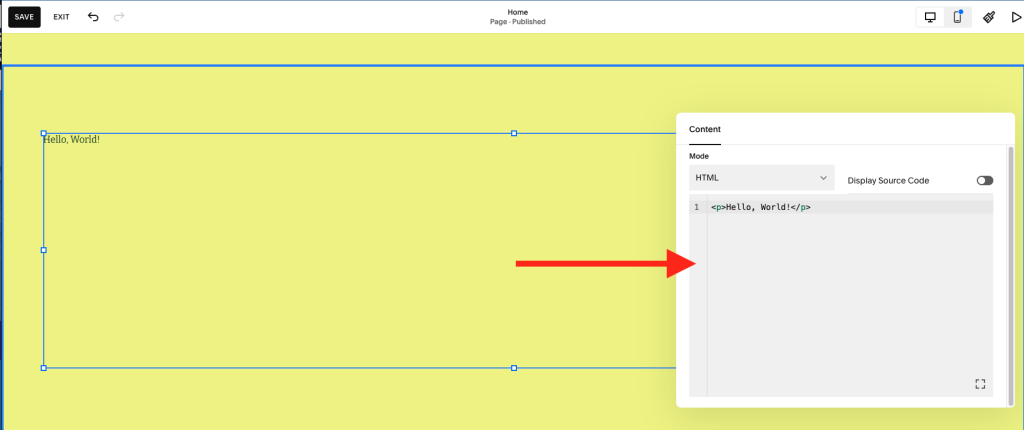
Paste the script
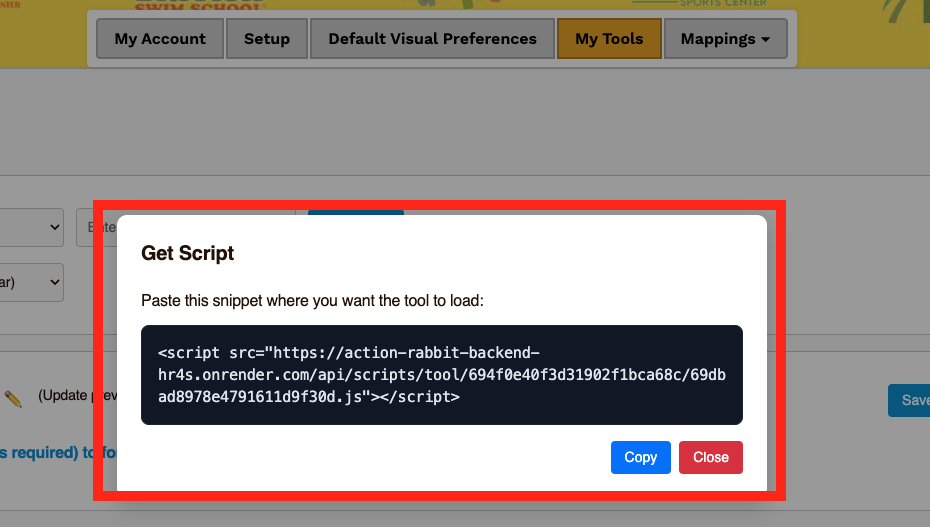
You will get a resulting editor box where you will then past your snippet from Universal Action Rabbit.
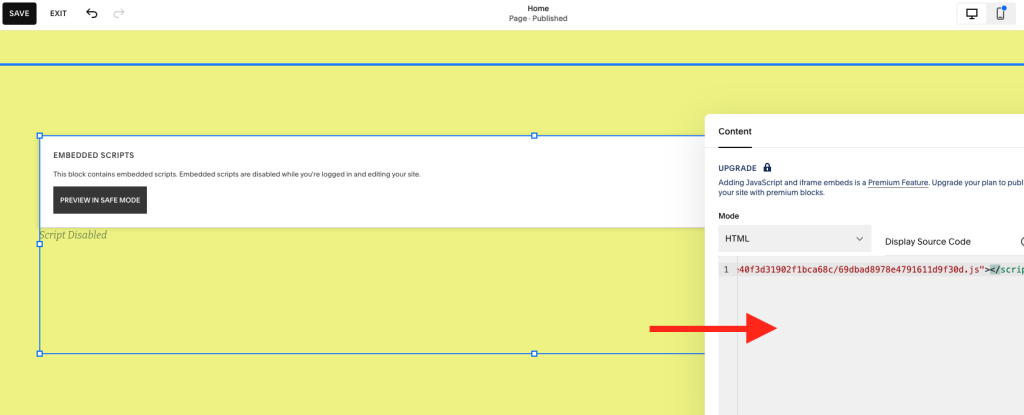
After pasting the script you will get a resulting box that says “Embedded Scripts”.
Preview the tool.
Click “preview in safemode”. Click “Save”. Then preview your tool.