
Brevo Integration
Connecting Brevo to UAR with an API Key
- Start by logging into Brevo
- Click the settings cog in the top right
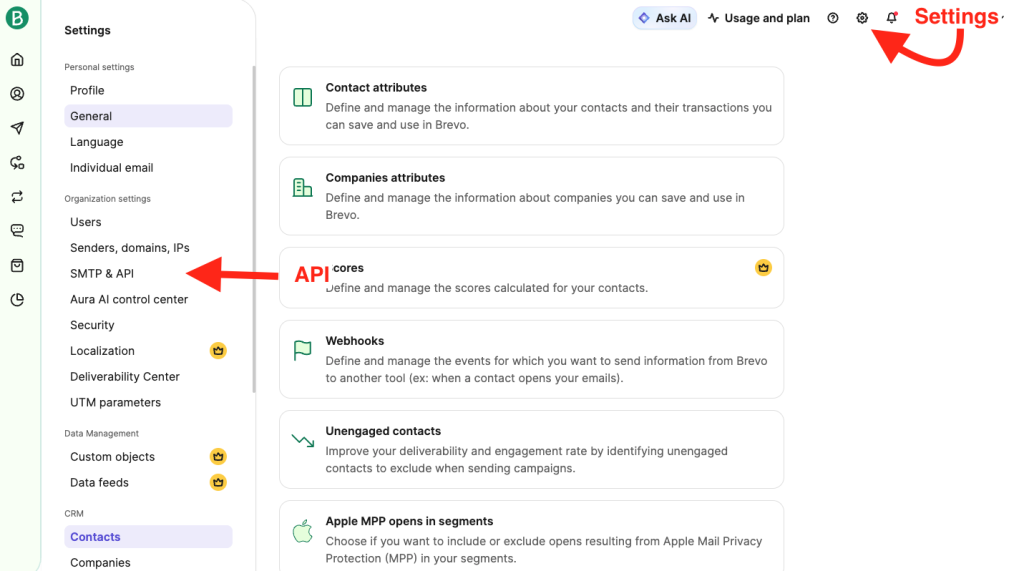
- Then click SMTP & API
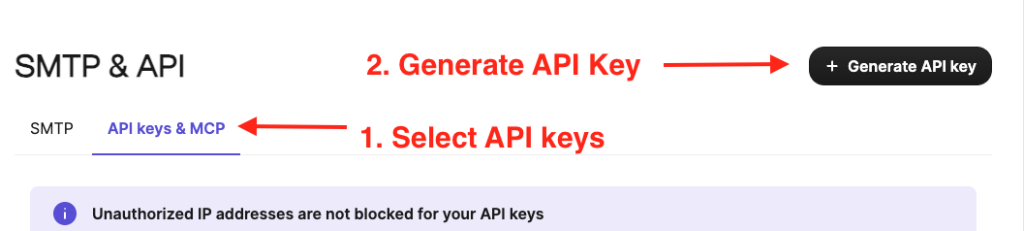
- Then choose the API Tab at the top
- Then click Generate API Key
- Name your key and set the expiration to what you prefer.
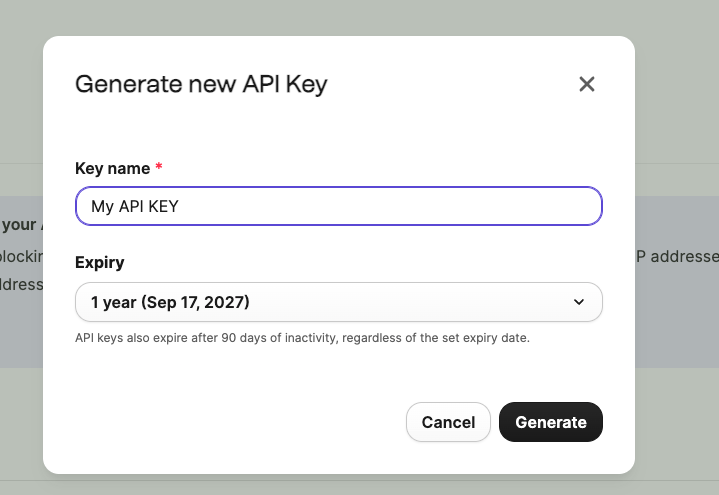
- Once the key is generated copy the key.
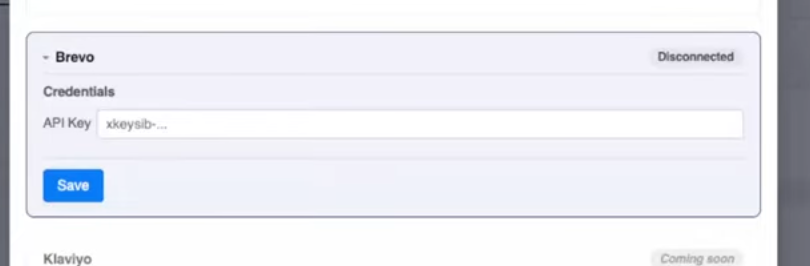
- Paste the key into your UAR settings and click Save
Specifying which Data to Bring over into Brevo
Universal Action Rabbit will gather quite a bit of information about an enrollment.
Parent Guardian:
- First name
- Last name
- Phone
Student Info:
- First name
- Last name
- Birthday
- Gender
- Class Info:
- Class Name
- Class Category 1
- Class Session
- Class Location Code
So the question is where to put this information and how to bring it over. It isn’t required by any means; this is optional.
You have the option to bring your student data over and store it in one Brevo property. Or, you can bring the student data over and store it in an individual student property. The example is
ALL TOGETHER:
Student_info: Student 1 info, Student 2 info, Student 3 info, etc
INDIVIDUALLY:
Student_1: Student 1 Info
Student_2: Student 2 info
Student_3: Student 3 info
Creating Brevo segments based on Student info
In Brevo you can create segments to specify which contacts receive certain correspondences. In our circumstance you will probably want to segment by your category 1s and your sessions.
This allows you to become more specific with your communication and parents, admin offices, and marketers love this ability.