Getting Jackrabbit to Listen for Events
Connecting the Jackrabbit API
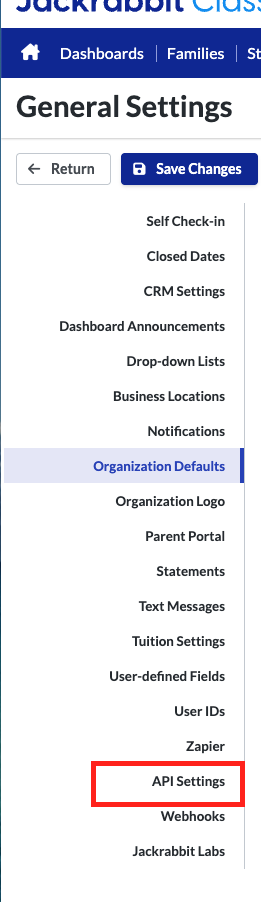
Head into your Jackrabbit Dashboard and Go to Settings > General. In the left hand vertical navigation, toward the bottom if you see the option API Settings click that. Otherwise if you do not see it you need to enable to jackrabbit API .
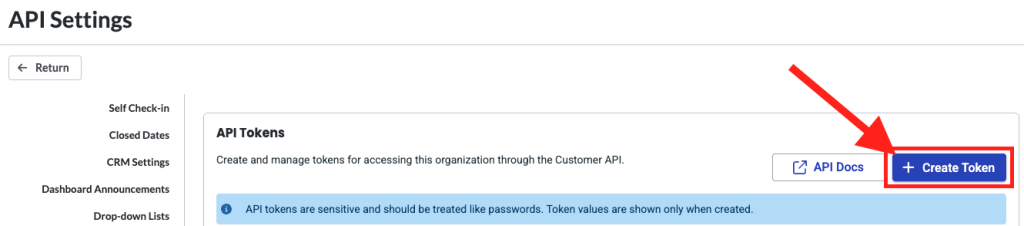
In the API Settings you will see a button that says “Create Token”
Create a token and it’s up to you to give it an expiration date or not. If you choose to give it an expiration date, the token will stop working on that date. Some people like to do this for security sake. You would need to add a new one at that point in time if you want to continue to send events to your CRM.
Copy Your Token
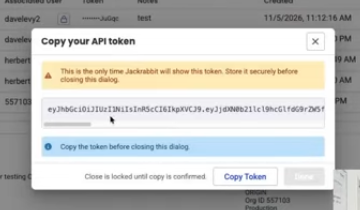
Click the “copy token” button and paste that token into Universal Action Rabbit and click “Save”
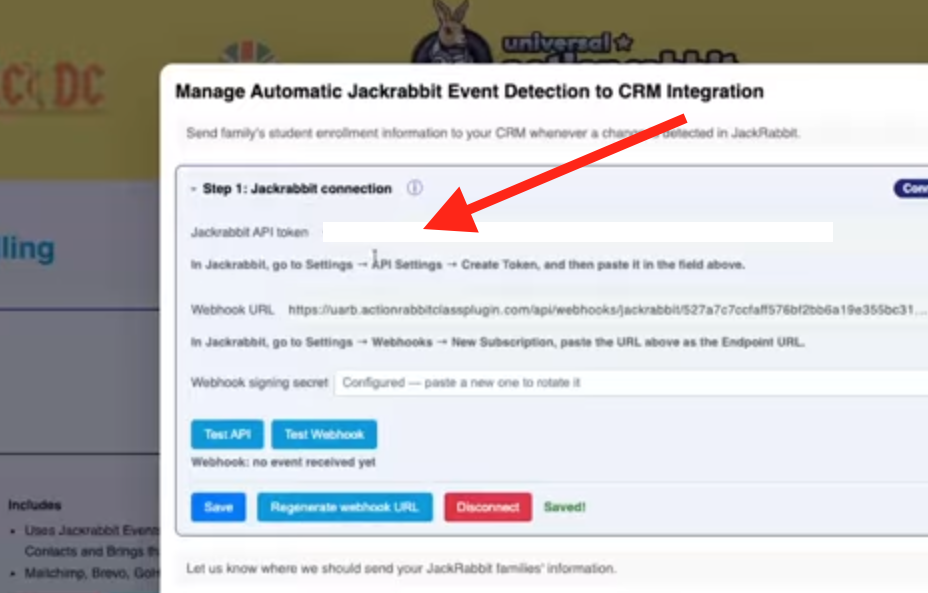
There should be a green “Saved!” that appears.
You can then click the Blue “Test API” button.
Connecting Webhooks
Webhooks are what helps us Listen for events. Head into your Jackrabbit Dashboard and Go to Settings > General. In the left hand vertical navigation, toward the bottom if you see the option Webhooks click that.
If you do not see “Webhooks” as an option you may need to turn them on in Jackrabbit Labs.

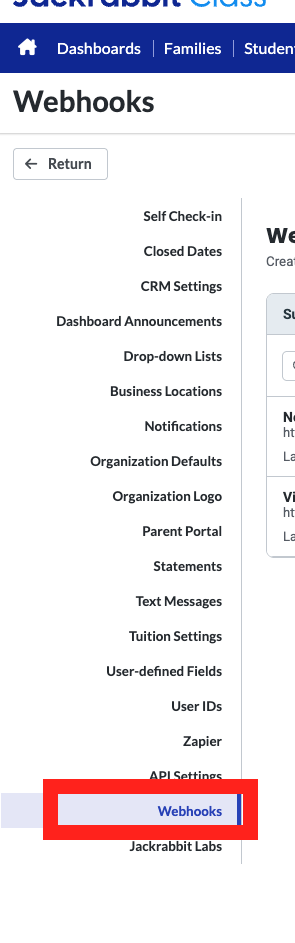
Create a Subscription
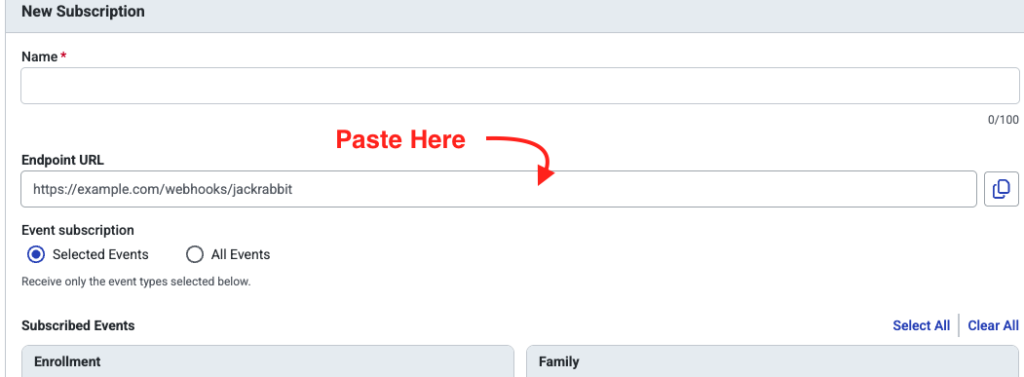
Name your subscription whatever you want.
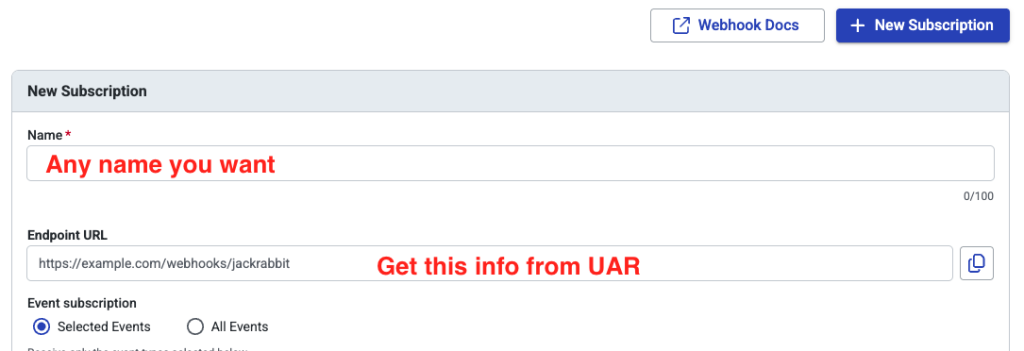
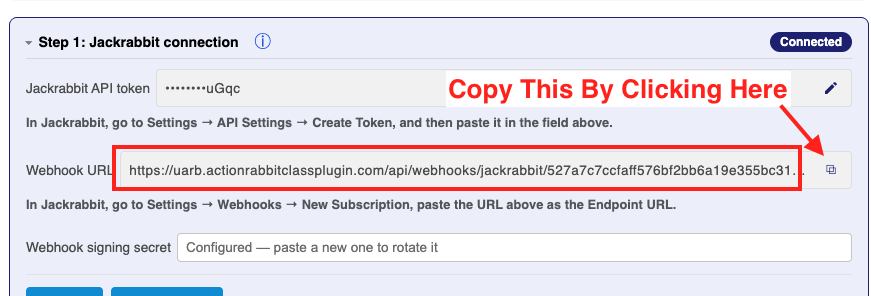
Copy the Endpoint URL from Universal Action Rabbit.
Paste it into your Jackrabbit Webhook Subscription
Select All Events Related to Students and Contacts
We recommend checking every box in
- Enrollment
- Family
- Contact
- Student
Click “Save”

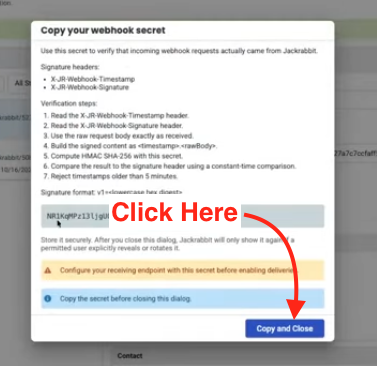
You will get a box with a “Signing Secret” in it. You need to copy this by clicking “Copy & Close”.
Paste this into your UAR Setup
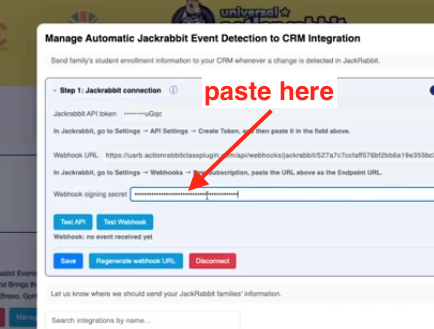
Click “Save”.
Testing the Event Listener.
To test that the Webhooks are functioning as expected. Click “Test Webhook”. Then you will see it switches to say “Waiting for test event”.
To send the test event go back to your webhook subscription in Jackrabbit. Once there you will click “Send Test”

Almost instantaneously it should say in universal action rabbit and in jackrabbit that it worked.
