CRM Integrations

Enable CRM Integrations
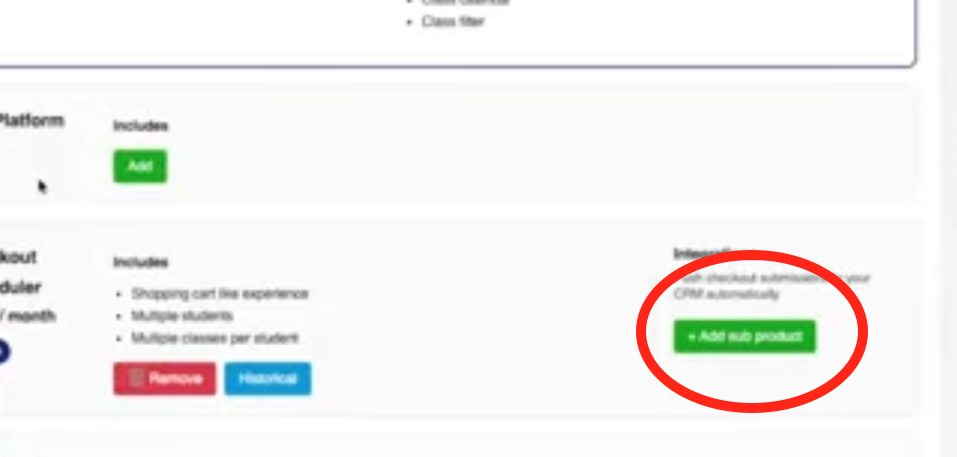
By default, to get data to stream directly into your CRM you must have schedule builder enabled. After schedule builder is enabled. You will see an option to enable integrations. Click the green “Enable Button.
Select Your CRM
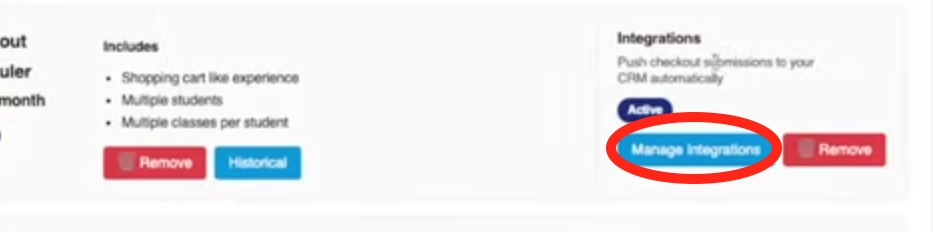
Now that the Integrations are enabled you will need to pick which integration you want to use. To do so you will Click Manage Integrations
Then you will be presented with a list of available integrations.
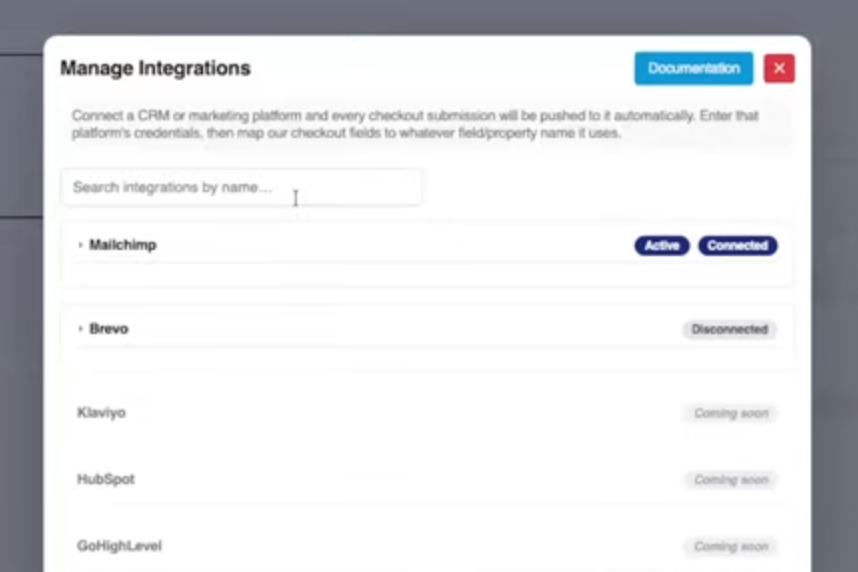
Integrations that are currently available are:
- Mailchimp
- Brevo
Integrations that are coming soon are:
- Hubspot
- GoHighLevel
- Klaviyo
- Constant Contact