Go High Level
Connecting the Go High Level API
- Start By Logging into Go High Level here
- Once Logged in Go To “Settings”
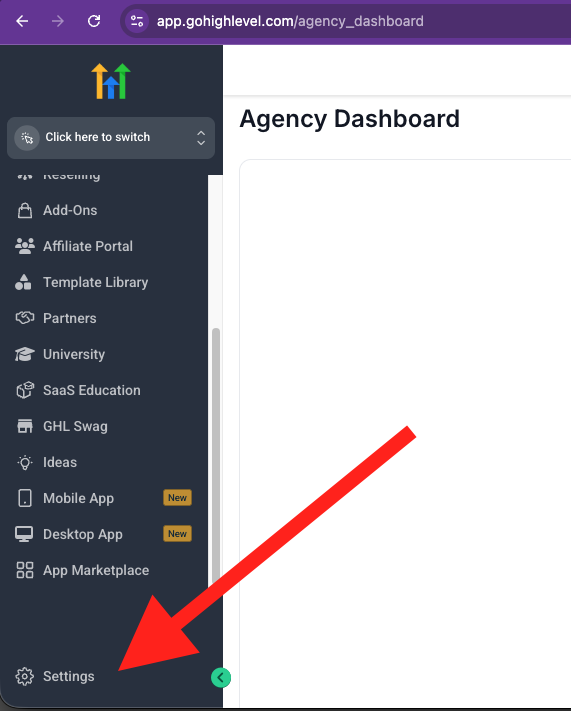
- Next Find ‘Private integrations” in the left hand vertical navigation
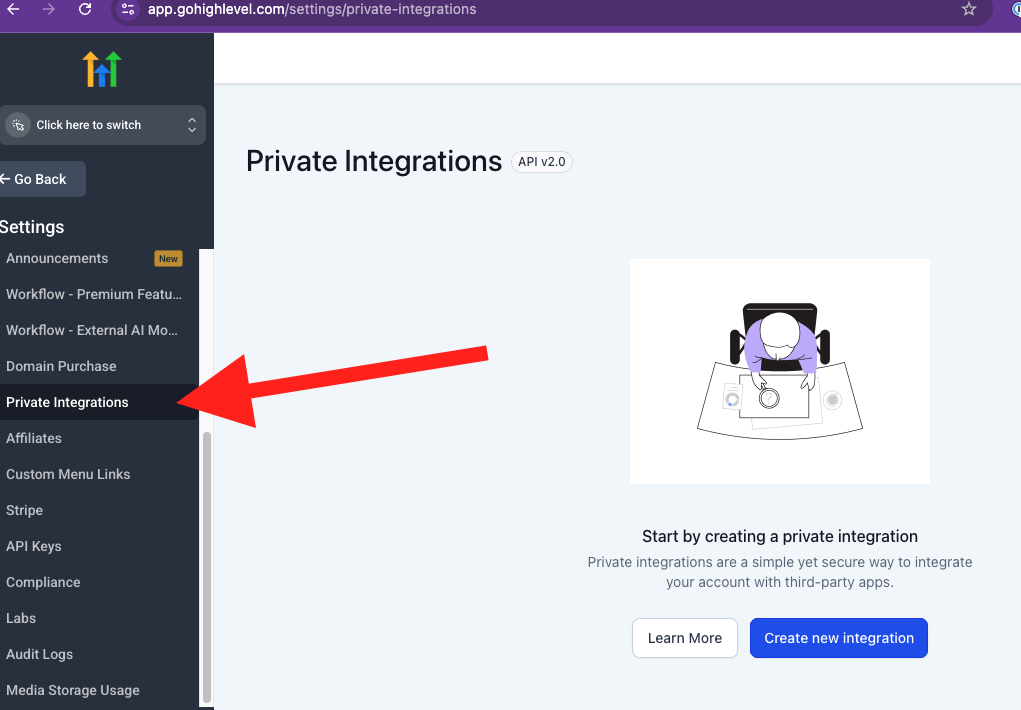
- Click “Create New Integration” and enter whatever you want to call it.
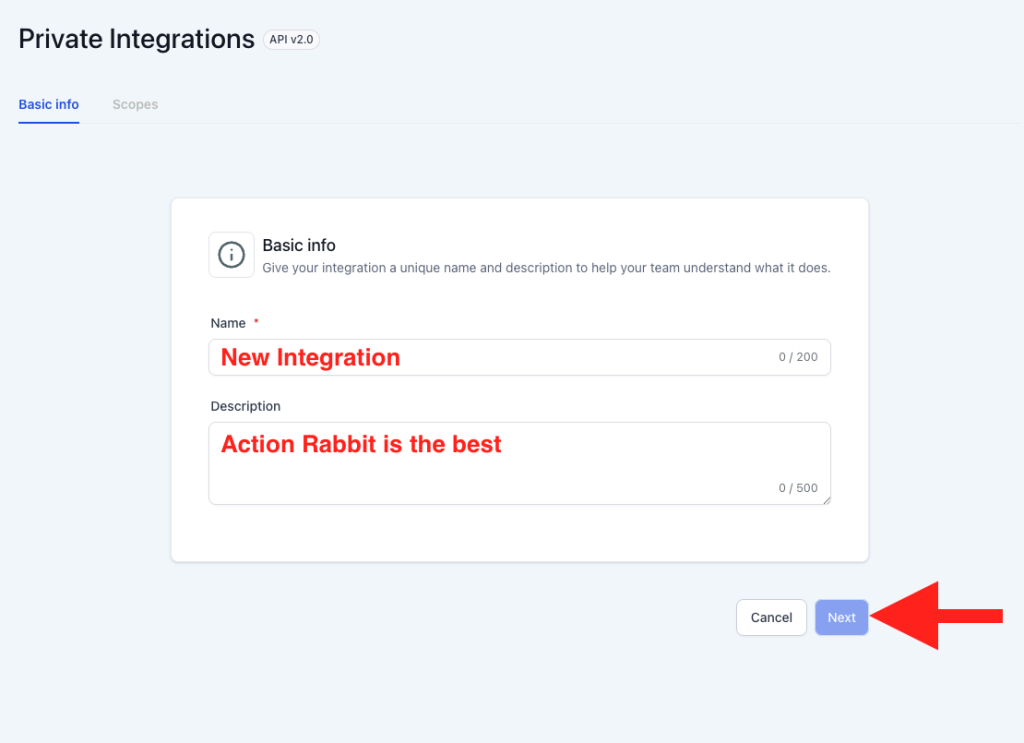
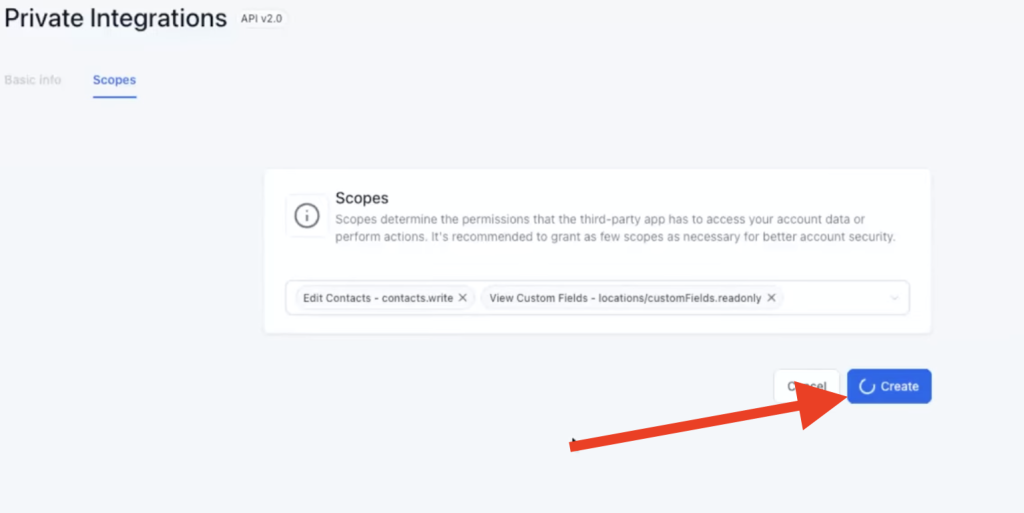
- Then set your scopes. The scopes you will need are:
- contacts.write
- locations/customFields.readonly
- Click “Create”
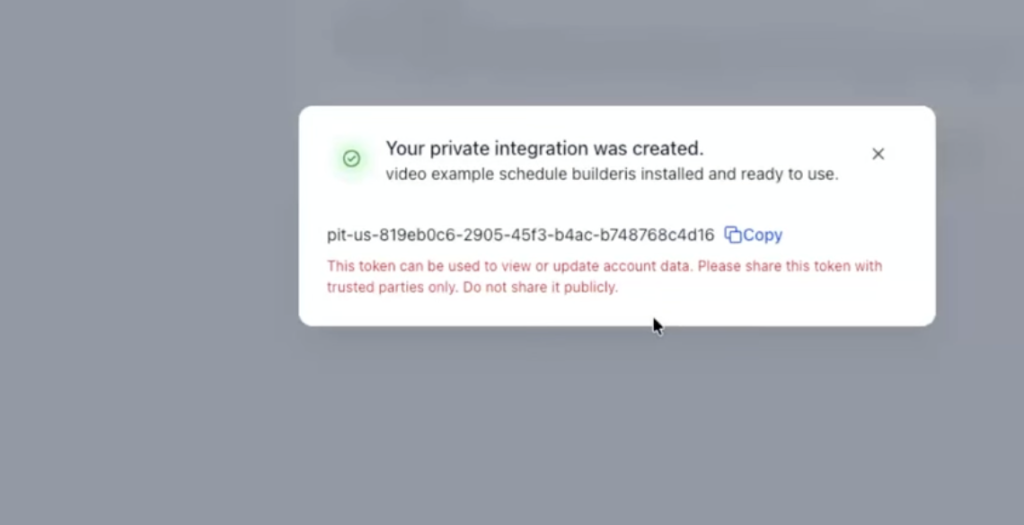
- Next, Copy the Token
- Paste the token into your Private Integration Token field
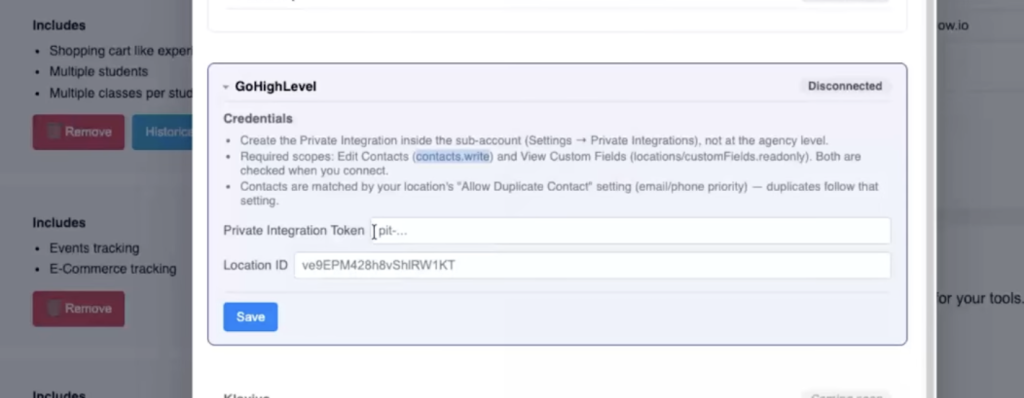
- Next, find your Location ID by navigating to your Business Profile.
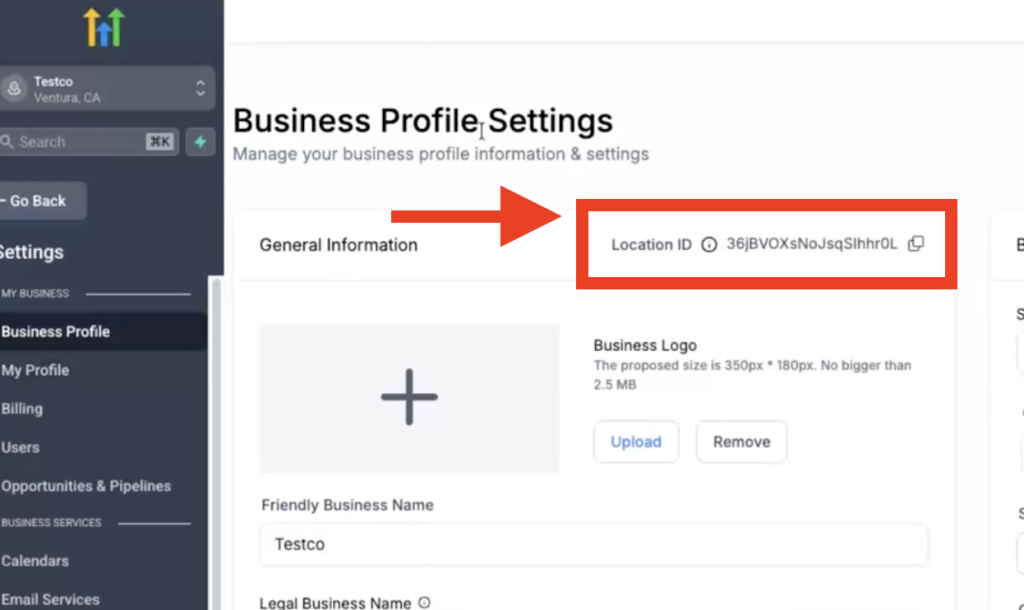
- Copy that location into your Universal Action Rabbit setup.
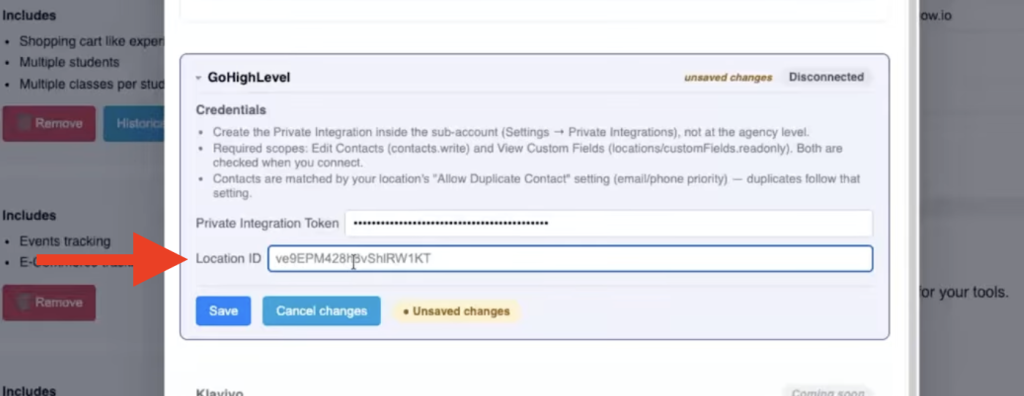
- Click “Save”
Sending Enrollment Data to Go High Level
Now that the Action Rabbit Schedule Builder is hooked up to Go High Level we should send information about enrollment to Go High Level.
By Default the following information will automatically be sent.
- Guardian First Name
- Guardian Last Name
- Guardian Email
- Guardian Phone
Read about the other data you can send to your CRM using the Schedule Builder CRM connection.