Jackrabbit Events to CRM
What does this do?
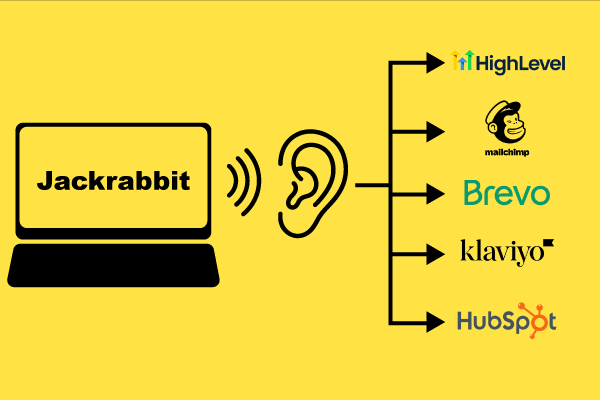
This hooks up Jackrabbit Webhooks to your CRM. That means it listens to all the Jackrabbit events and then it sends over updated information to your CRM so you can always have the latest information in the tools you use to market to and communicate with your school families.
What events trigger and update.
The great part is the event doesn’t care who triggers it. Whether its a parent using the mobile app, or a guardian logged in on the parent portal, or even a school admin on the phone adjusting an account for someone who just called in. An event is an event, plain and simple. Jackrabbit detects the event and we listen for it. Here are the events, and they can be included or excluded as you see fit.
Enrollment:
- Enrollment Created
- Enrollment Dropped
- Enrollment Updated
- Event Enrollment
Contact:
- Contact Created
- Contact Updated
Family:
- Family Created
- Family Updated
Student:
- Student Created
- Student Updated
- Student Inactivated
Attendance:
- Substitution Created
- Absence Created
- Makeup Created
- Waitlist Added
- Waitlist Dropped
How do you enable the Jackrabbit Event Listener?
In your Universal Action Rabbit Account Navigate to the “My Account” Tab.
Then enable the following option: